Step by step in Paint my Room
- On the start screen, choose Use camera to take a photo, Import photo to use one from your gallery (JPG, PNG or HEIC), or Panorama.
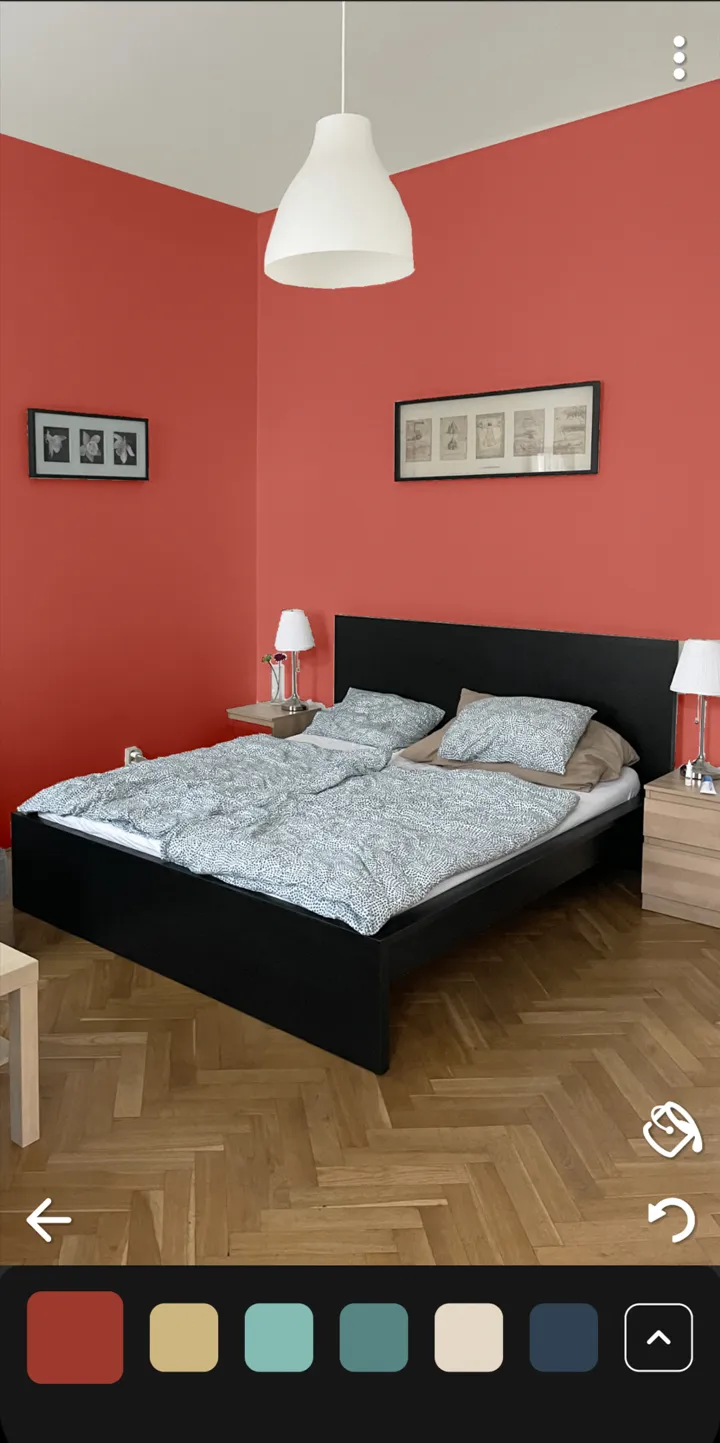
- Pick a color from the palette at the bottom.
- Tap the wall. If the paint stops short or spills over, adjust how far it reaches with the Expand area slider, or hold your finger on the screen and draw around the area with the lasso to add or remove paint. Pinch to zoom in on corners. Undo takes back a step.
- Tap another wall with another color, or tap a painted wall with a new color to change it.
- Choose Save project to keep it in the app, or Export image to share it.
Getting a photo that paints well
- Light the wall well. It's the app's own tip: on a poorly lit wall the color may not display correctly. Daylight is best.
- Shoot straight on with the whole wall in the frame, so the paint has clear edges to stop at.
- Clear what you can from in front of the wall. Furniture is fine, but you'll spend less time with the lasso.
- For a whole room, shoot a panorama with your phone's own camera and import it. One picture then shows every wall at once.
Why it still looks like your wall
Paint my Room keeps the light and shadow of your photo under the new color, so a wall in the shade of a wardrobe reads darker and a sunlit one lighter, as real paint would. Color transparency, in the editor's menu, sets how much of the original wall's texture shows through: turn it down for a flatter, more even color, or reset it to the default. The rest of the photo, furniture and floor included, stays exactly as you took it.
What about AI image tools?
You can also ask an AI image tool to repaint the room, and it's a quick way to explore a whole new look. But it redraws the whole picture, so the furniture, trim or light can change along with the walls. To judge one particular color on your own walls, a visualizer that changes only the walls you tap is the more faithful test. More on that in AI or a paint visualizer.